Call for papers and reviews
Set up a call for papers on an event in five steps (basics, deadlines, topics, review settings and extra questions), and know what to expect while creating a call does not work yet.
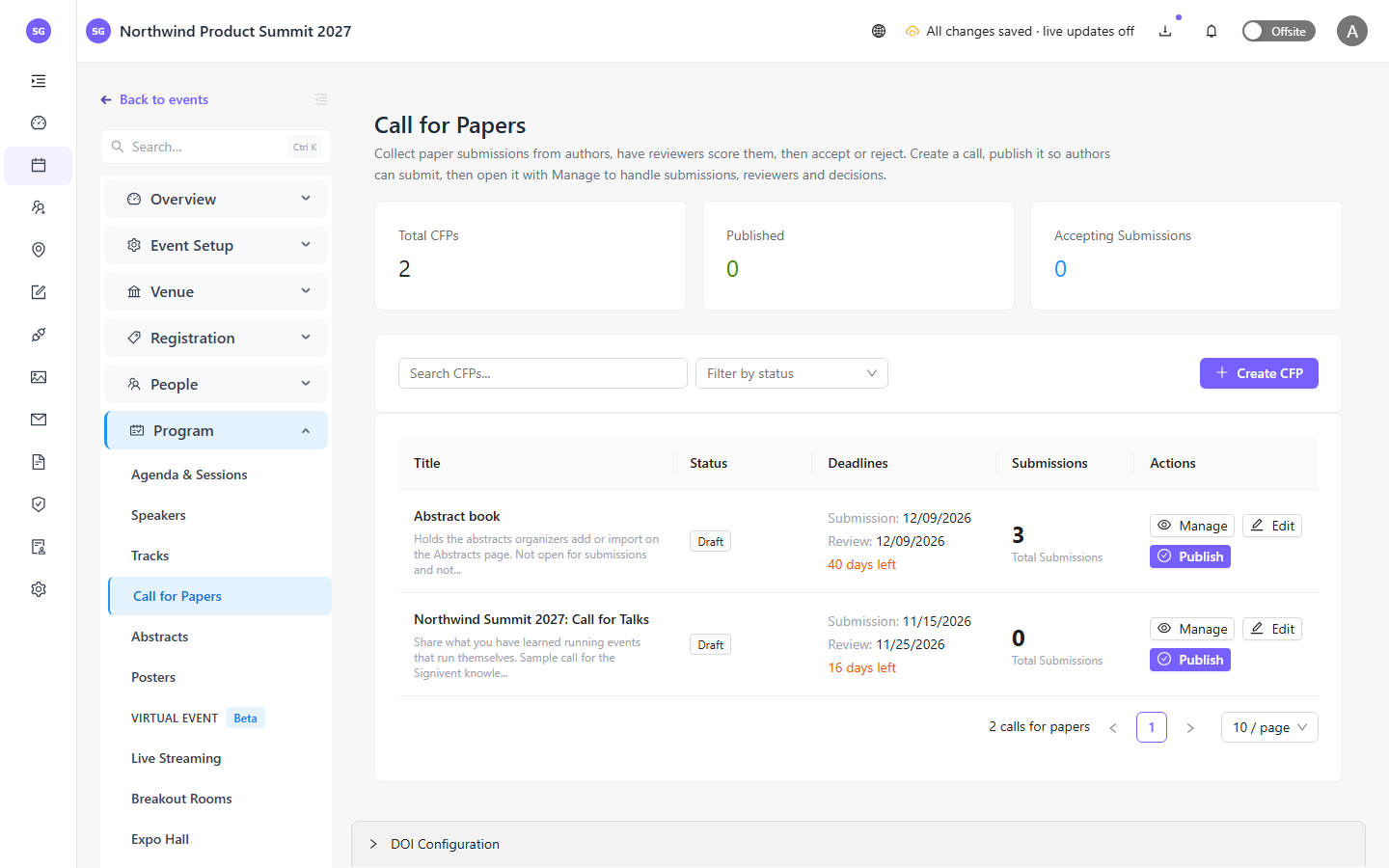
A call for papers collects talk or paper proposals from authors, has reviewers score them, and ends with accept or reject decisions. Each call belongs to one event: open the event and go to Program > Call for Papers.
Known issue (October 25, 2026): clicking Create CFP on the last step currently fails with "Creation Failed ... Field 'allowPanelSubmissions' is not defined by type 'CFPInput'". The fix is in progress. Until it ships, you can prepare a call with the steps below, but it cannot be saved, so submissions, reviewer assignment and decisions are not covered here yet.
The Call for Papers page
The page explains the flow (create a call, publish it so authors can submit, then open it with Manage to handle submissions, reviewers and decisions) and counts your calls: Total CFPs, Published and Accepting Submissions. DOI Configuration and iThenticate Configuration at the bottom connect DOI registration and plagiarism checks.
Create a call for papers
Click Create CFP. The call has five steps, and it stays a draft until you publish it from the list.
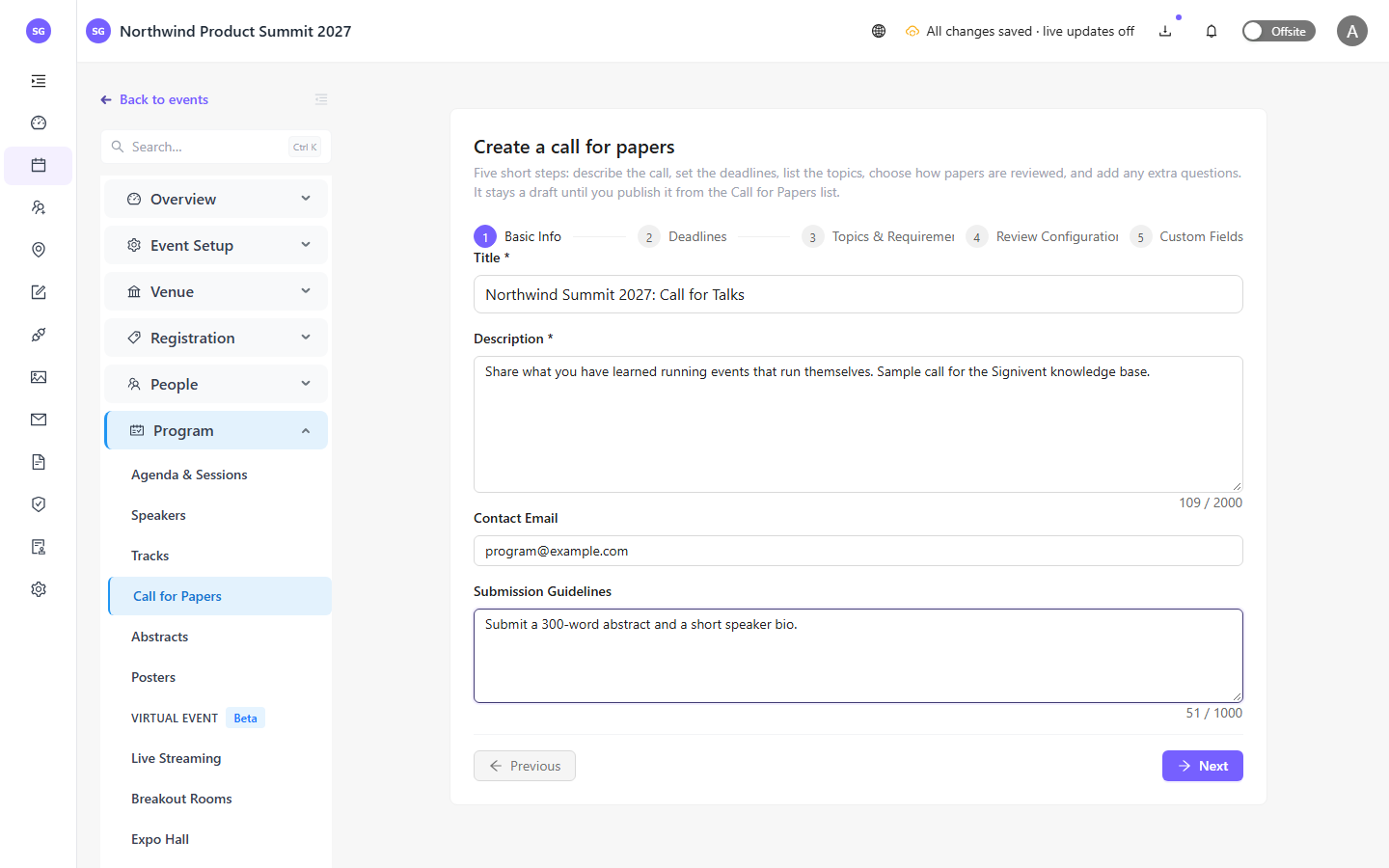
- Basic Info. Enter a Title and Description (both required), the Contact Email authors can write to, and Submission Guidelines (for example the abstract length). Click Next.
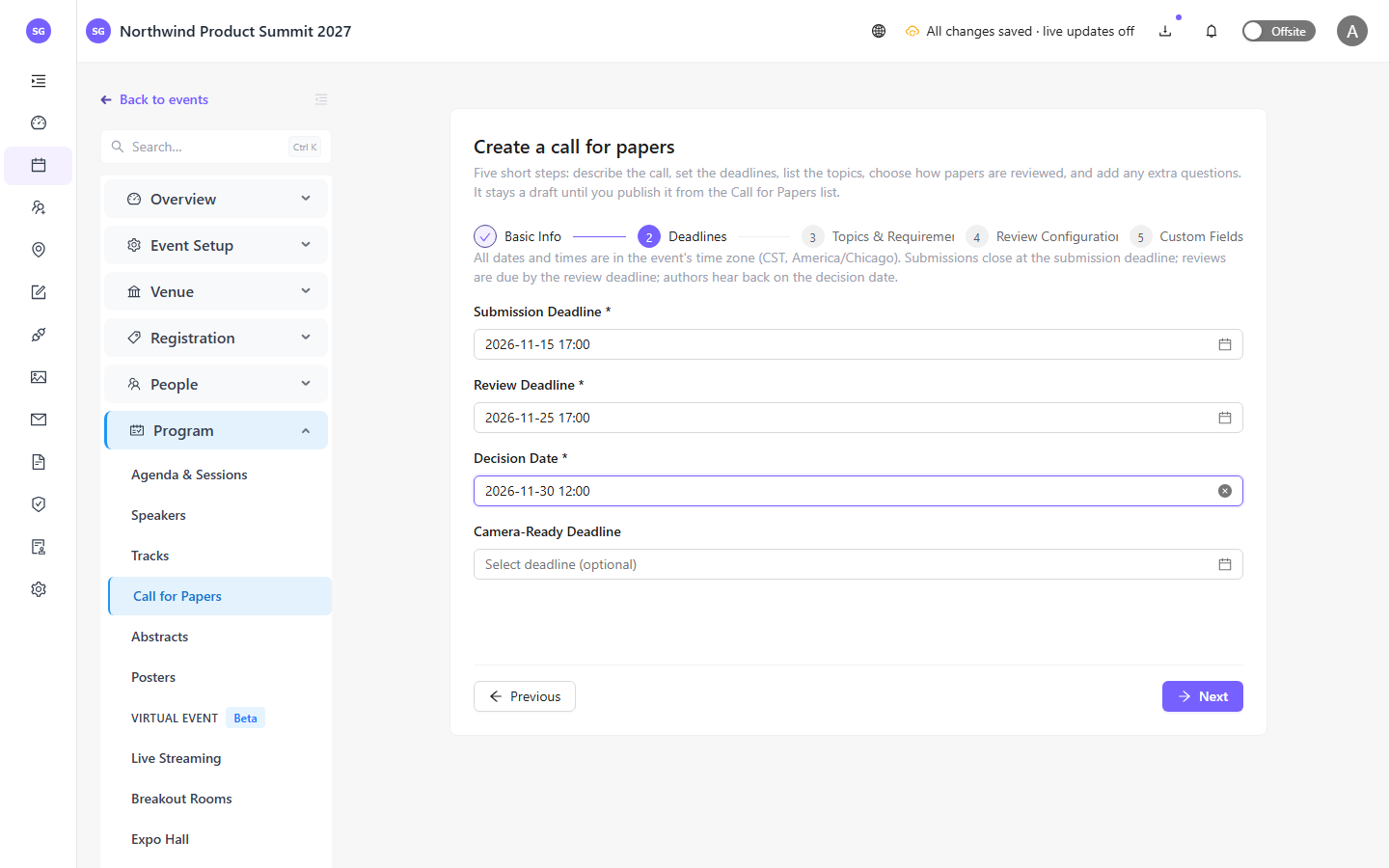
- Deadlines. Set the Submission Deadline, Review Deadline and Decision Date (required) and, if you collect final versions, the Camera-Ready Deadline. Times are in the event's time zone, shown at the top of the step. Each date must come after the one before it.
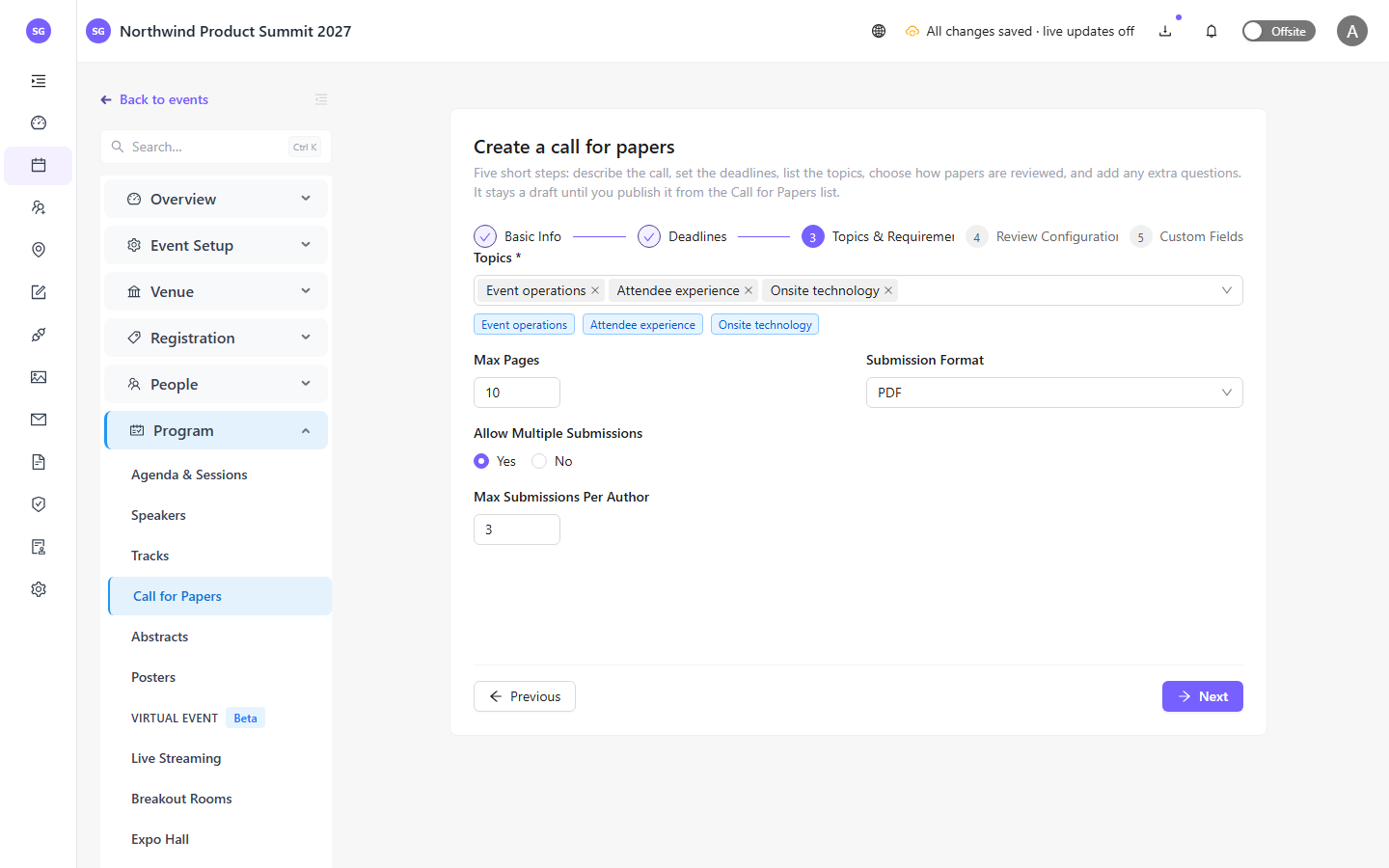
- Topics & Requirements. Type each Topic and press Enter (at least one is required). Set Max Pages, the Submission Format (for example PDF), whether an author may send more than one proposal, and the Max Submissions Per Author.
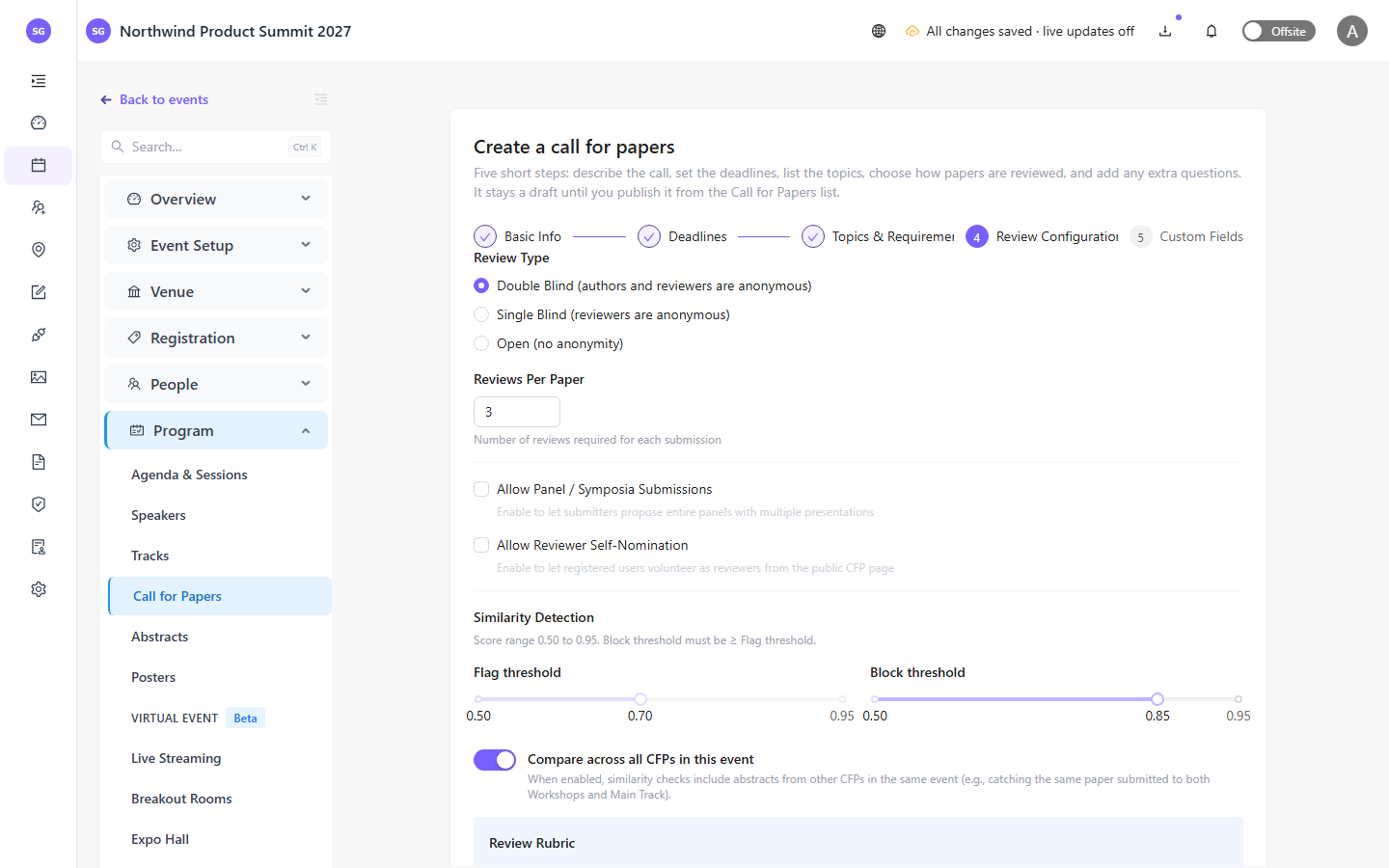
Review Configuration. Choose the Review Type:
- Double Blind: authors and reviewers do not see each other's names.
- Single Blind: reviewers see the authors, authors do not see the reviewers.
- Open: everyone sees names.
Set Reviews Per Paper. Optionally allow Panel / Symposia Submissions and Reviewer Self-Nomination, and set Similarity Detection: proposals scoring above the Flag threshold are flagged, above the Block threshold they are blocked. Compare across all CFPs in this event also checks against other calls in the same event. The Review Rubric lists what reviewers score.
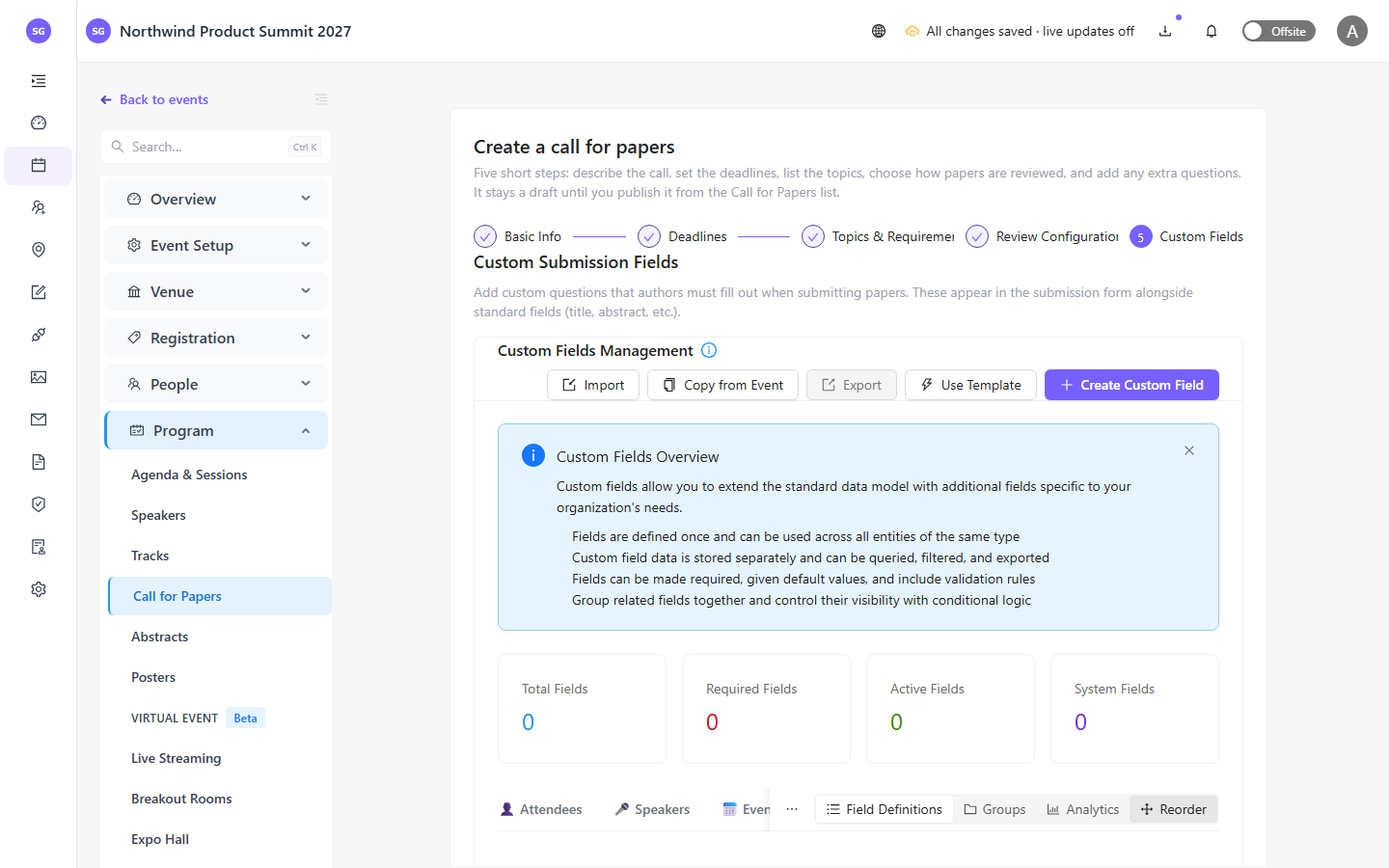
- Custom Fields. Add extra questions authors must answer, using the same tools as Custom fields. Then click Create CFP.
Review rubric
| Criterion | Scale | Required? |
|---|---|---|
| Overall Score | 1 to 5 | Yes |
| Confidence | 1 to 5 | Yes |
| Technical Quality | 1 to 5 | No |
| Novelty | 1 to 5 | No |
| Clarity | 1 to 5 | No |
| Relevance | 1 to 5 | No |
| Recommendation | -3 to +3 | Not marked |
Who can do this
Organization admins and event staff with access to the event's program create and manage calls. Reviewers only see the proposals assigned to them.
Troubleshooting
| You see | Why | Fix |
|---|---|---|
| Creation Failed: Field 'allowPanelSubmissions' is not defined by type 'CFPInput' | Known issue: the server does not accept two of the review options yet | Wait for the fix; nothing you can change on the form avoids it today |
| Next shows "Please fill in all required fields" | A required field on the step is empty (title and description, the three dates, or at least one topic) | Fill it in and click Next again |
| Next on Deadlines shows a date-order message | A later deadline is before an earlier one | Put the dates in order: submission, review, decision, camera-ready |
| Organization > Papers says "Event Selection Required" | Calls belong to events | Open the event, then Program > Call for Papers |