Group registrations
Register a block of seats for a company or delegation in one order, let the group's contact fill in who is coming, and track the group's invoice, payments and balance.
A group registration is one order for several seats, for example six people from one company. The group's contact pays once (or is invoiced), and fills in the names of the people who will use the seats later. Registration > Group Registrations lists every group for the event.
The groups list
Each row shows the Group Name, the Contact, the Ticket type, Attendees (seats filled out of seats bought), the Total, the Balance still owed, the Payment status and the group's Status.
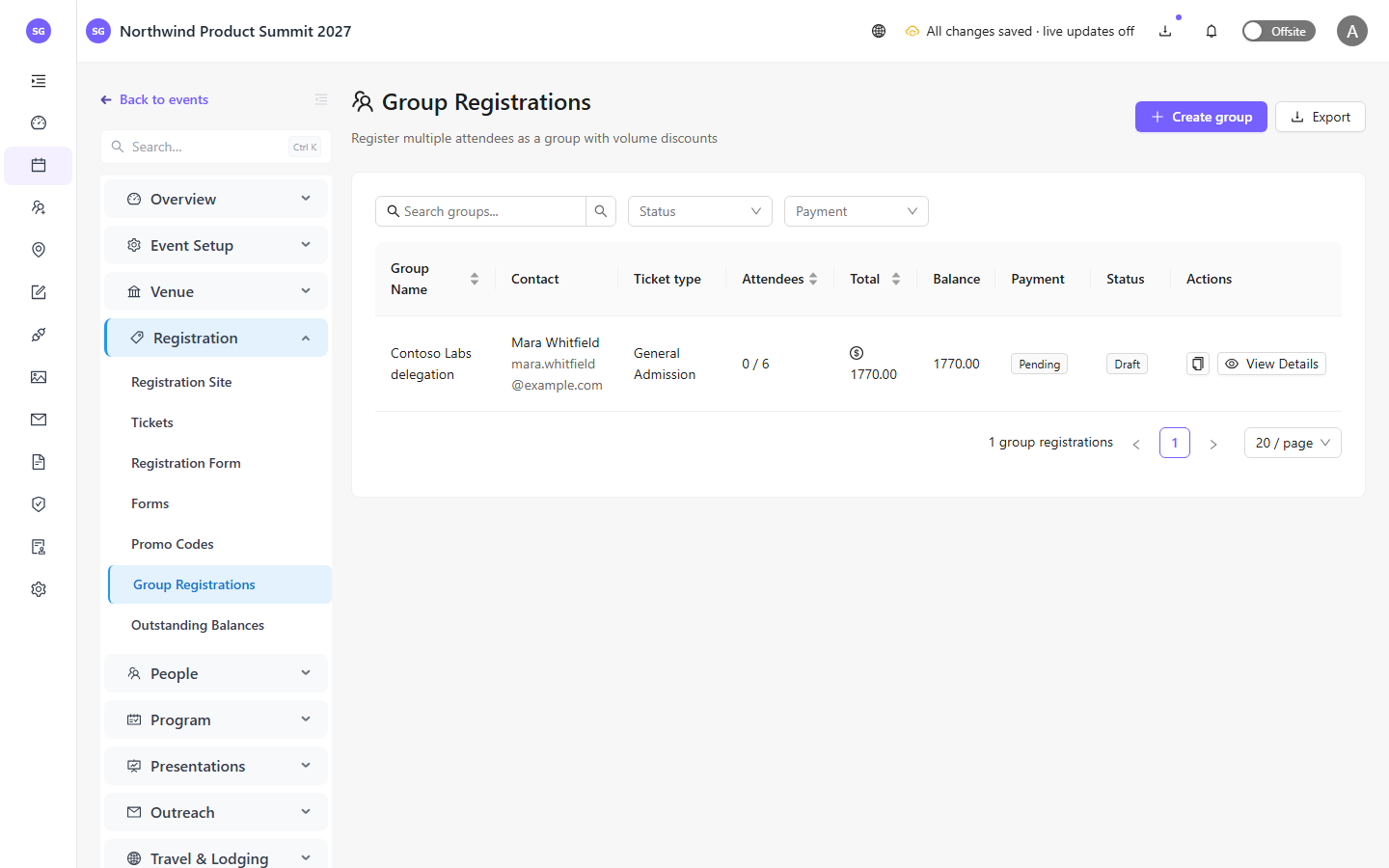
- Search by group name, or filter by Status (Draft, Confirmed, Invoiced, Completed, Cancelled) and Payment (Pending, Partial, Paid, Refunded).
- Export downloads the list.
- The copy icon on a row copies the group manager link. Send it to the group's contact: it opens a page where they name the people for each seat.
Create a group
Groups usually register themselves on your site. To create one for them, for example after a phone call:
- Click Create group.
- Enter the Group Name and the contact's first name, last name, email and phone.
- Pick the Ticket type and the Quantity of seats. Group pricing and any volume discount for that ticket apply, as they do online (see Tickets and promo codes).
- Add Notes for your team (for example, who to invoice), and click Create.
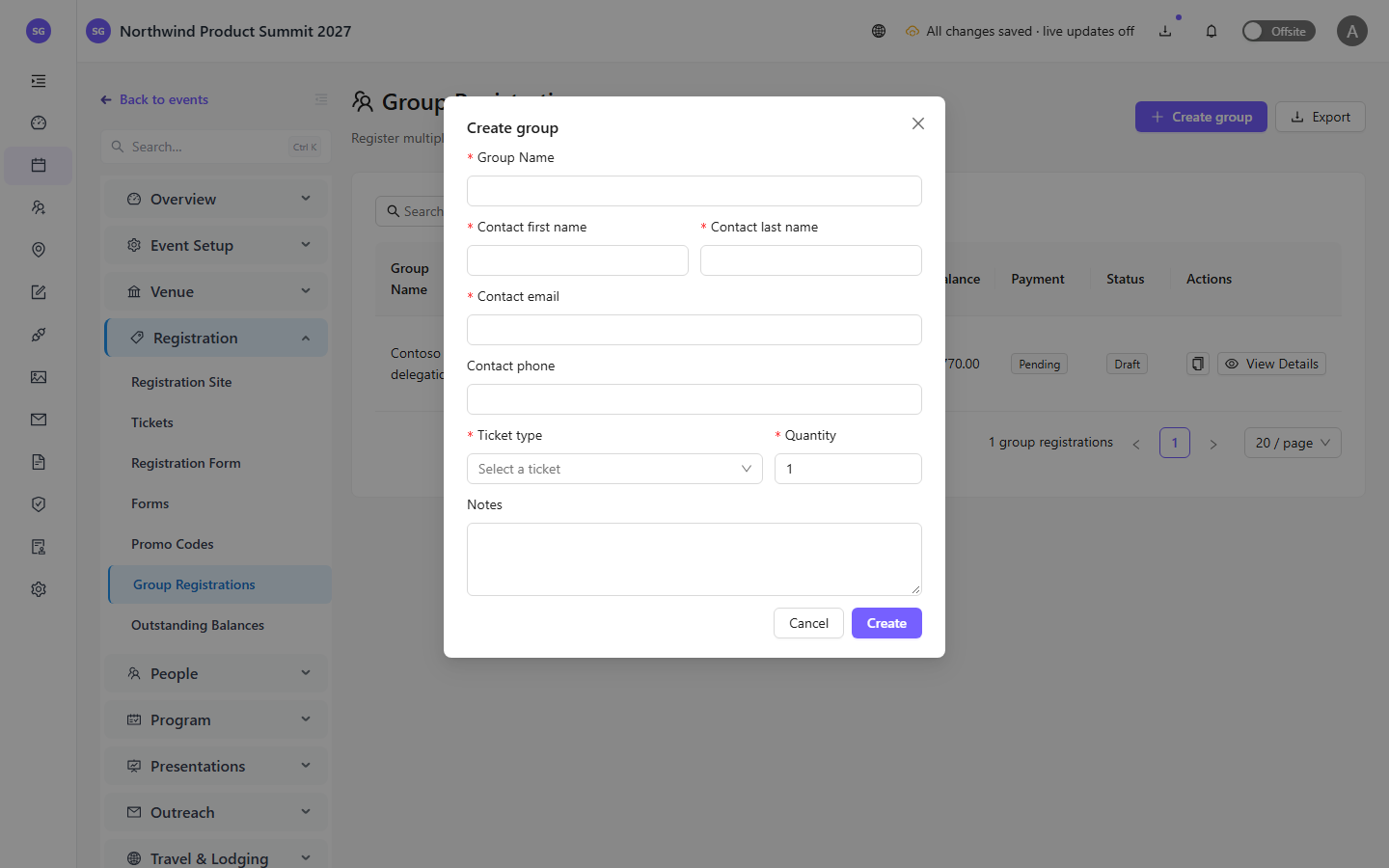
The group starts as a Draft with payment Pending.
Group details, payments and seats
Click View Details on a row.
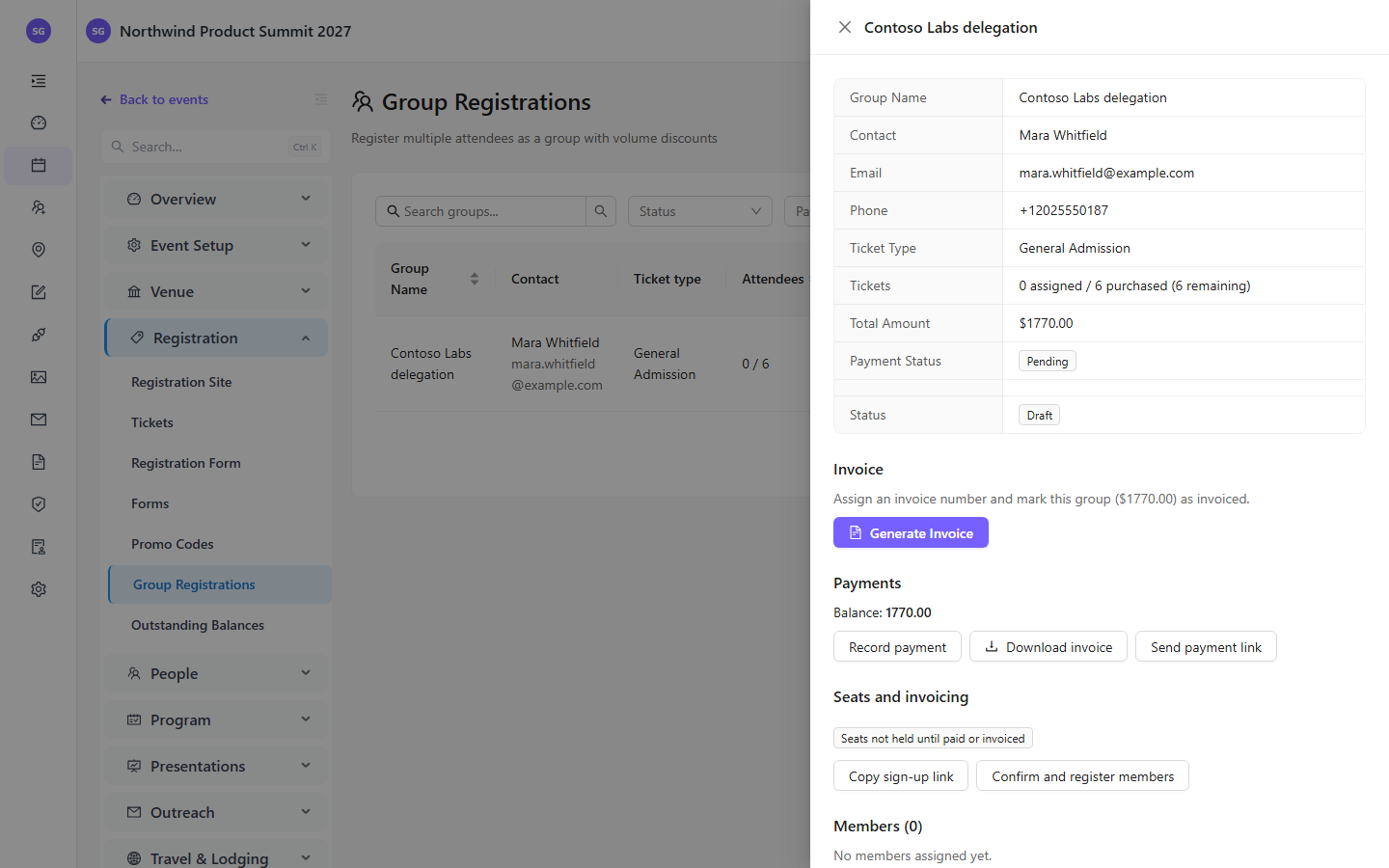
- The top table repeats the group: contact, phone, tickets assigned out of purchased, the total, and the payment and group status.
- Invoice: Generate Invoice gives the group an invoice number and marks it as invoiced.
- Payments shows the Balance. Record payment logs a payment taken outside the site: the Amount, the Method (for example check or wire) and a Reference such as the check number. Send payment link gives the contact a link to pay the balance by card.
- Seats and invoicing says whether seats are held yet (they are not held until the group pays or is invoiced). Copy sign-up link copies the link members use to claim a seat, and Confirm and register members registers the people named so far.
- Members lists the people on the group's seats.
Each member also appears in the attendee list with their own registration. If members owe money individually, they show on Outstanding Balances with the group's name in the Group column; see Outstanding balances and CE credits.
Troubleshooting
| You see | Why | Fix |
|---|---|---|
| Attendees stays at 0 of N | The contact has not named anyone yet | Copy the group manager link and send it to the contact |
| The total is lower than seats × price | A group or volume discount applied | Expected; see the ticket's group pricing |
| A check arrived but the balance has not changed | Payments taken offline are not recorded automatically | Open View Details and use Record payment |