Sponsorship, add-ons and booth services
Follow your sponsorship package and its results, buy the add-ons the organizer sells, and order furniture, power, internet and other services for your booth.
Three pages in the exhibitor portal are about what you pay for beyond the booth: Sponsorship (your sponsorship package), Boost your presence (add-ons the organizer sells) and Order services (furniture, power, internet and the like for your stand). Buying and ordering are for your team's Admin.
Your sponsorship
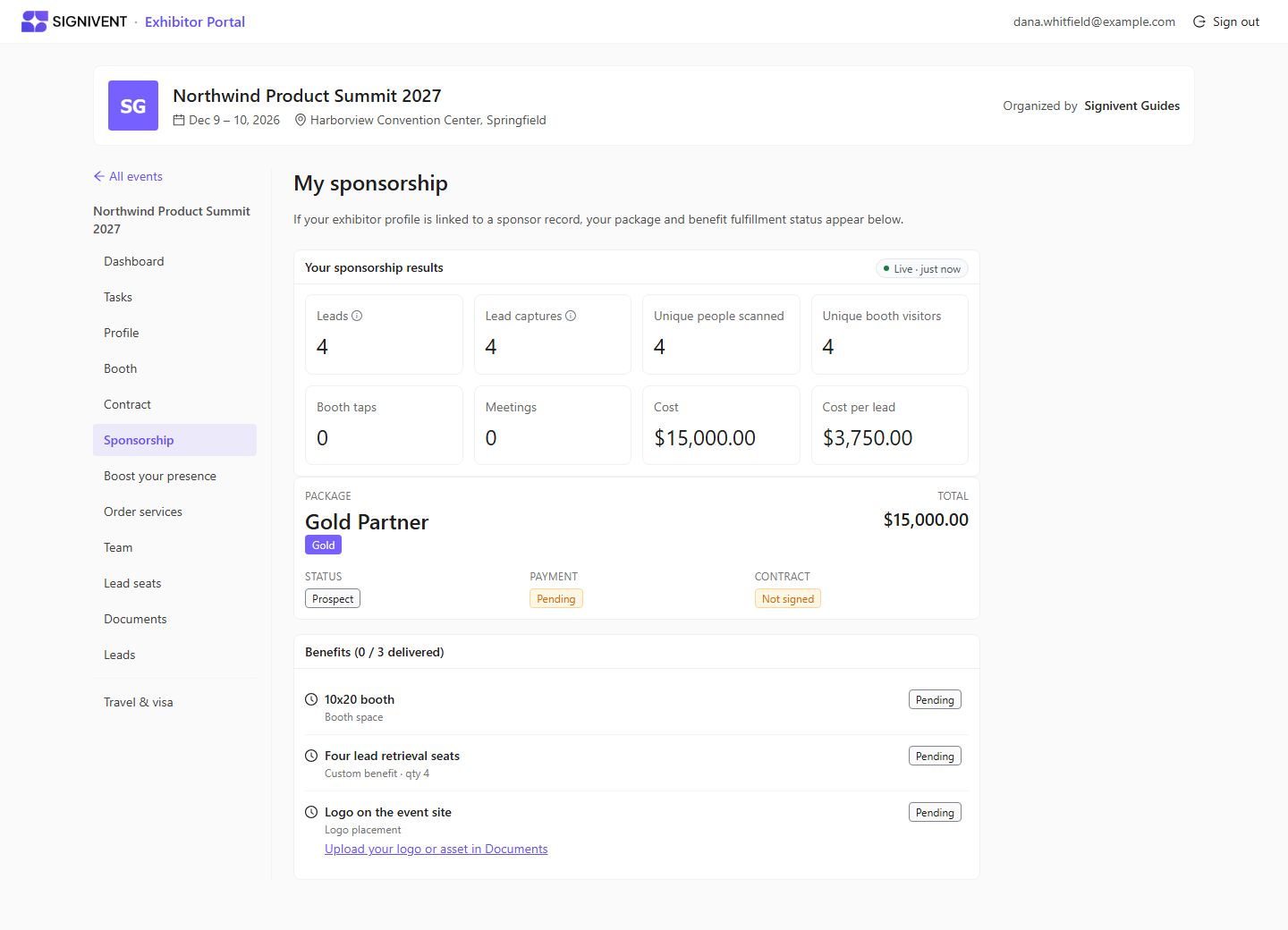
If your company also sponsors the event, Sponsorship shows your package and how it is paying off. If it says you are not linked to a sponsorship package, the organizer has not connected your exhibitor profile to a sponsor record yet; ask them.
- Your sponsorship results are live counts for this event: leads and lead captures, unique people scanned and booth visitors, booth taps, meetings, what the sponsorship cost and the Cost per lead.
- The package card shows the Package, its Total, and the Status, Payment and Contract of your sponsorship.
- Benefits lists what the package includes and whether each one has been Delivered or is still Pending. When a benefit needs something from you, such as a logo, it says so: Upload your logo or asset in Documents takes you to Documents.
Boost your presence
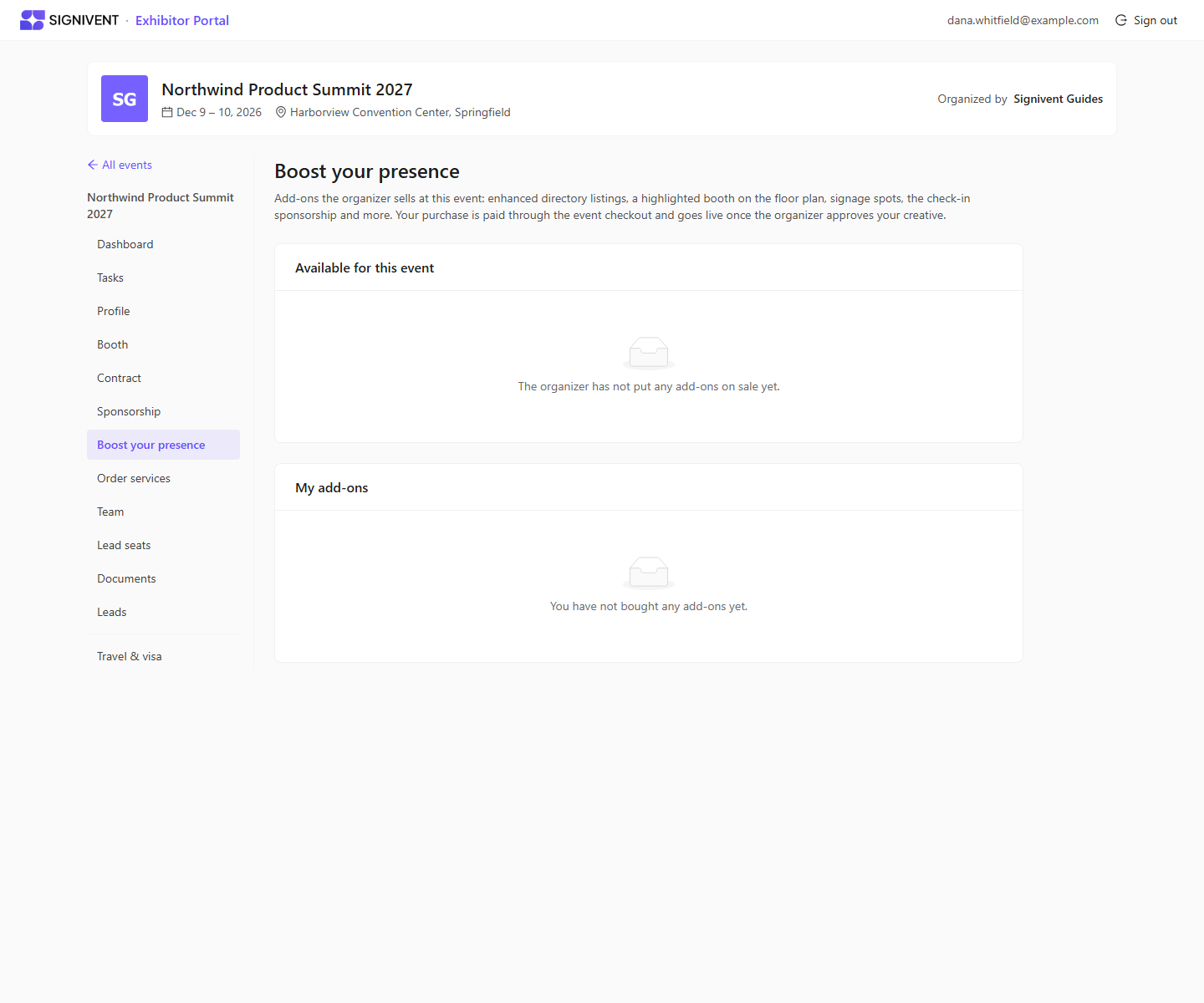
Boost your presence lists the add-ons the organizer sells at this event, such as an enhanced directory listing, a highlighted booth on the floor plan, signage spots or the check-in sponsorship. Each shows its price and how many are left; an Exclusive add-on has only one buyer.
- Click Buy on an add-on (admins only) and choose the Quantity.
- Pay through the event's checkout with Continue to payment.
- For an add-on that runs on screen or online, add your creative: a Logo, image or video (PNG, JPG, WebP, SVG, MP4 or WebM, up to 200 MB), optional Text and Link, or a Brand colour for a highlighted booth. Click Send for review.
My add-ons tracks each purchase: Awaiting payment, Paid, In review, Approved or Changes requested (with the organizer's note), then Scheduled, Live and Delivered. When the organizer has put nothing on sale yet, both lists say so.
Order booth services
Order services is the organizer's catalog of booth services: furniture, audio/visual, electrical, internet, cleaning, freight, labor, signage, floral, catering and utilities. Each item shows its price and unit (each, per day, per show, ...) and the price tier in force (Early, Standard or Onsite). Order early: prices go up after each deadline.
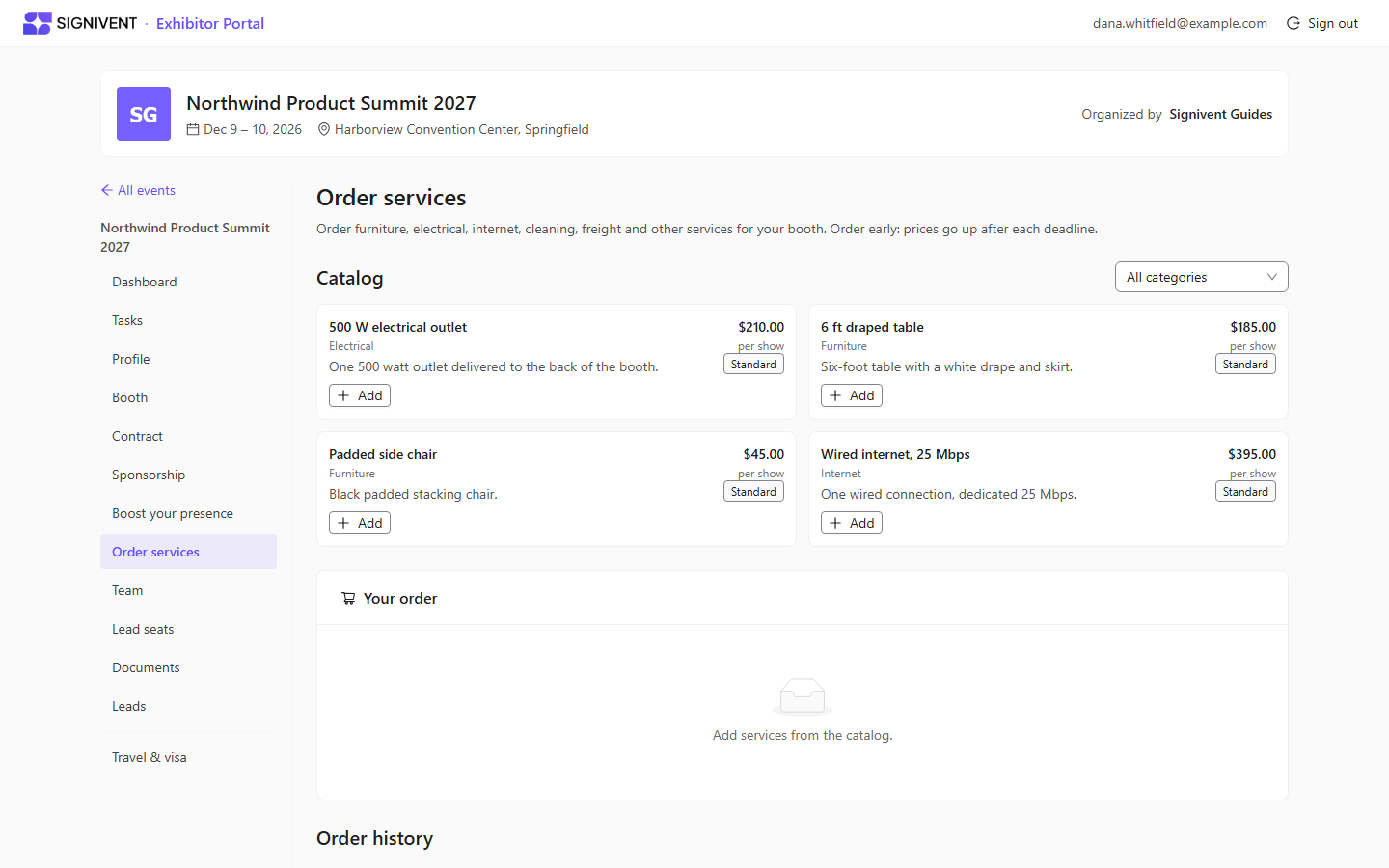
- Narrow the catalog with All categories if it is long.
- Click Add on each service you need. It goes into Your order, where you change the quantity or remove it.
- Fill in Deliver to (booth, dock, room), Needed by and any Notes for the provider.
- Click Check out to pay, or Save for later to keep the order as a cart.
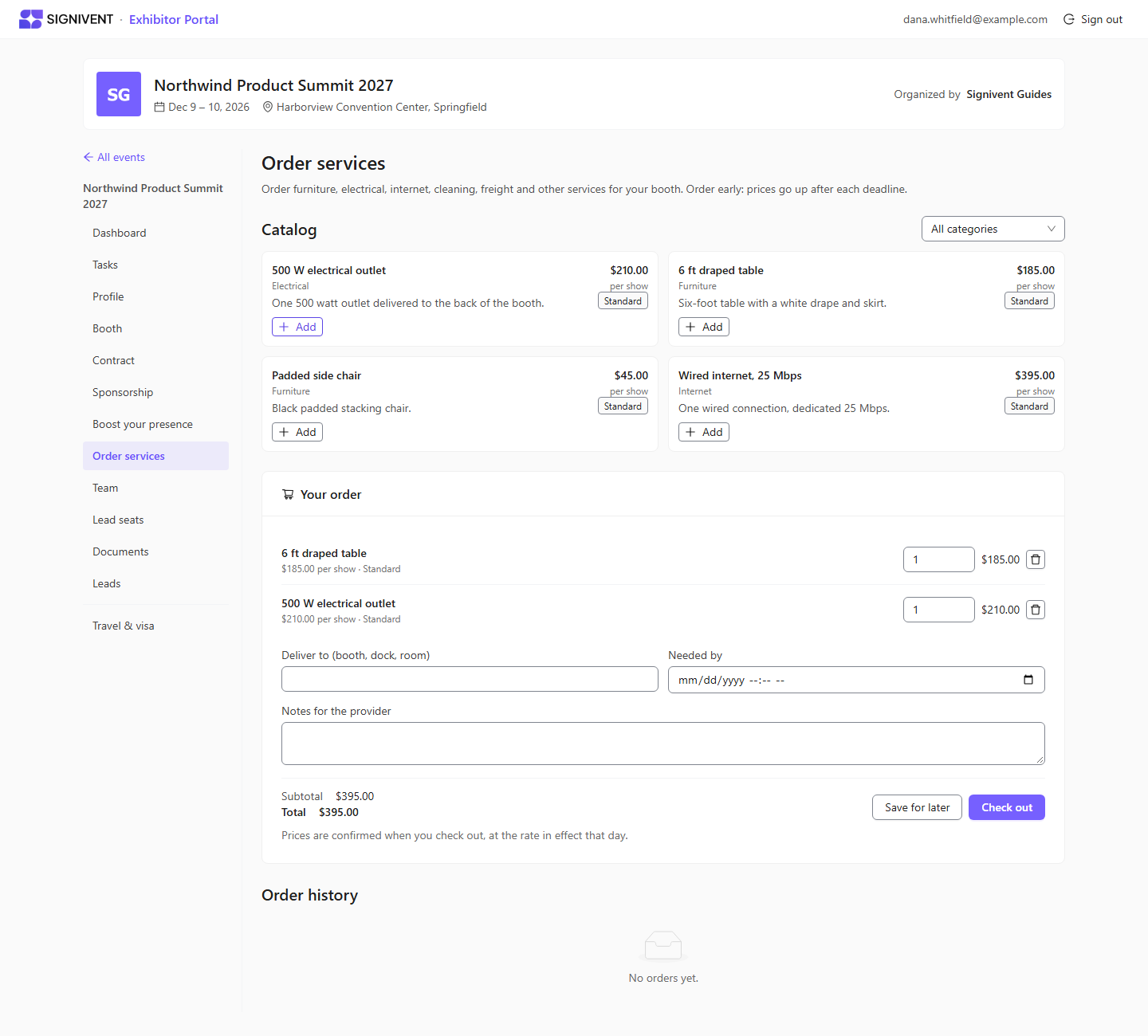
Prices are confirmed when you check out, at the rate in effect that day. Order history lists your orders and their status (Awaiting payment, Paid, Fulfilled, Cancelled or Refunded); an unpaid order has Pay now and Cancel order.