Connect: sign in and open your event
Get the Signivent Connect app, sign in with a one-time link or your password, find the events you are registered for and open one.
Signivent Connect is the event app for attendees, speakers and exhibitors. One app and one sign-in cover every event you are registered for, whichever organization runs it. It runs in your phone's browser, and as an app where your organizer offers one.
Your organizer turns the app on for their event; if they have, your confirmation email or the event website tells you where to get it.
Sign in
The app opens on the sign-in screen.
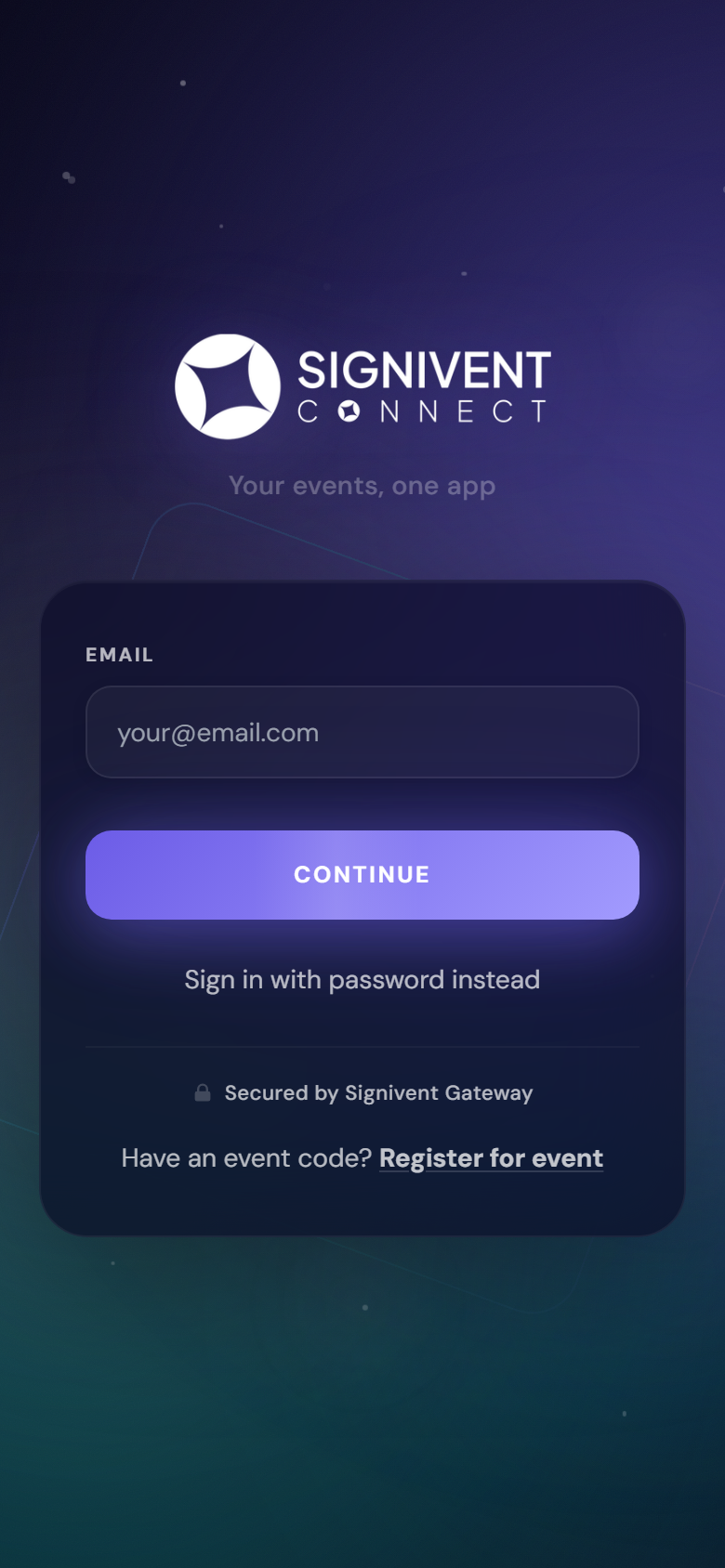
With a one-time link (the default)
- Enter the email address you registered with and tap Continue.
- Open the email from Signivent on your phone and tap the sign-in link. The app opens signed in.
With a password
- Tap Sign in with password instead.
- Enter your Email and Password and tap Sign In.
Forgot password? sends you a link to choose a new one; Use magic link instead goes back to the one-time link.
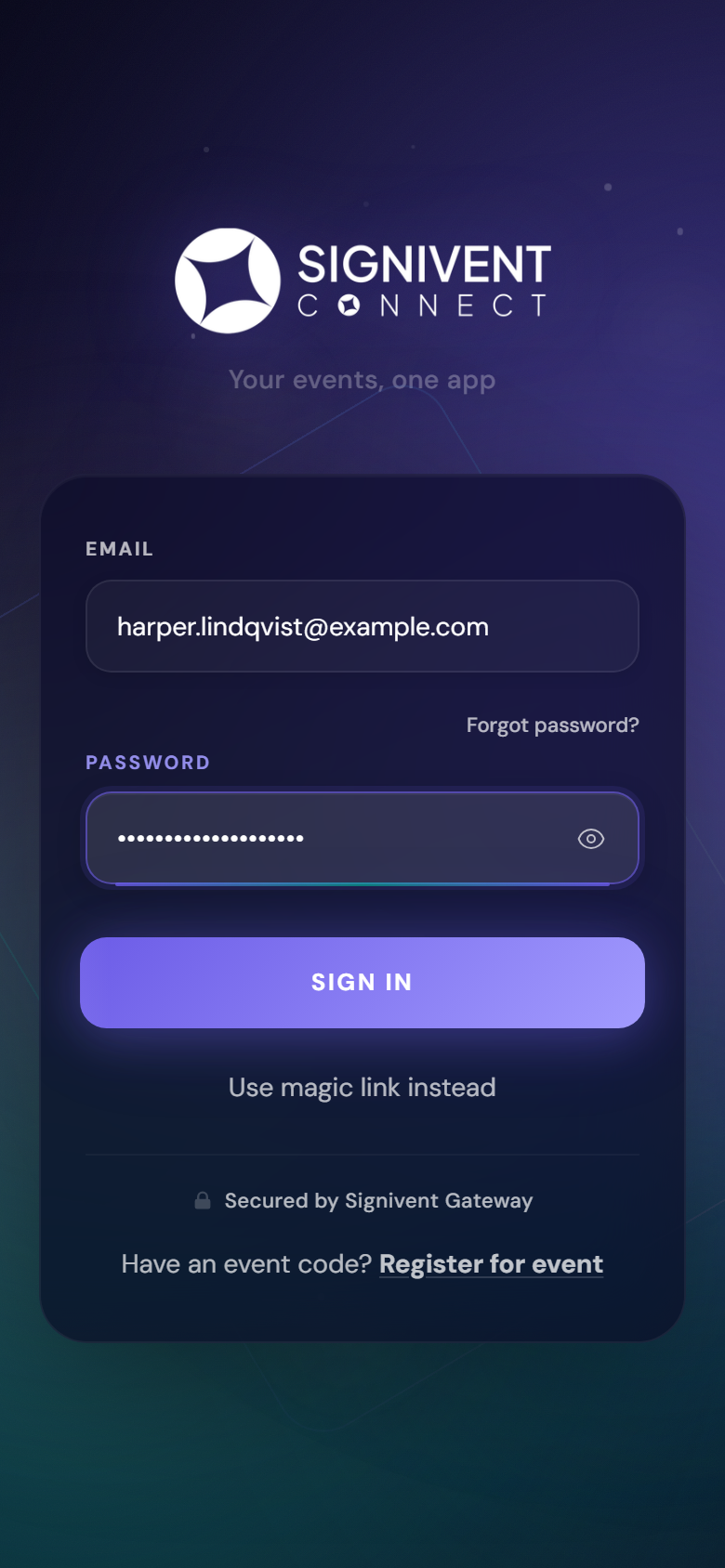
If you have not registered yet but have an event code from the organizer, tap Register for event and enter it.
Your events
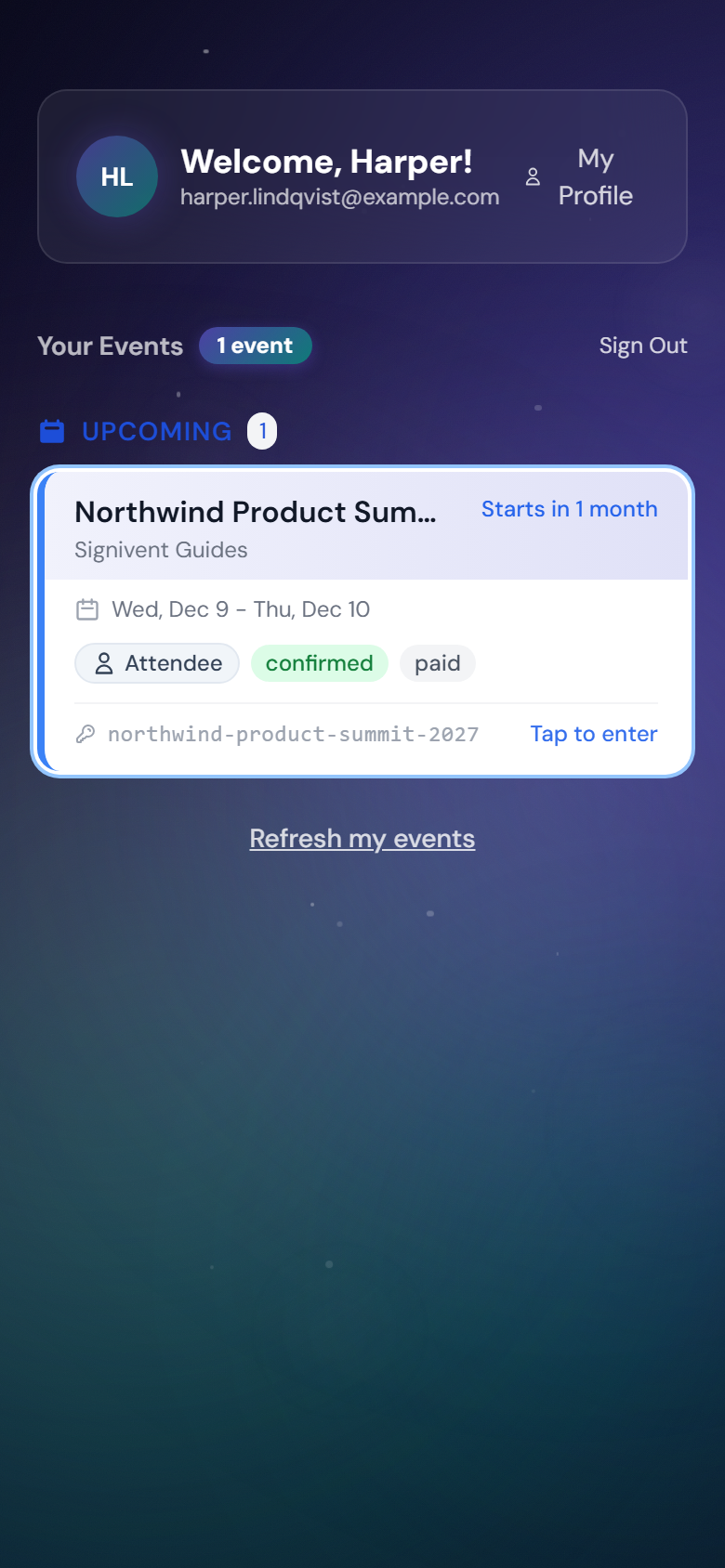
After you sign in, Your Events lists every event you are registered for, grouped as upcoming, happening now and past. Each card shows the organizer, the dates, your role (Attendee, Speaker or Exhibitor) and your registration and payment status. Refresh my events fetches events you registered for after signing in.
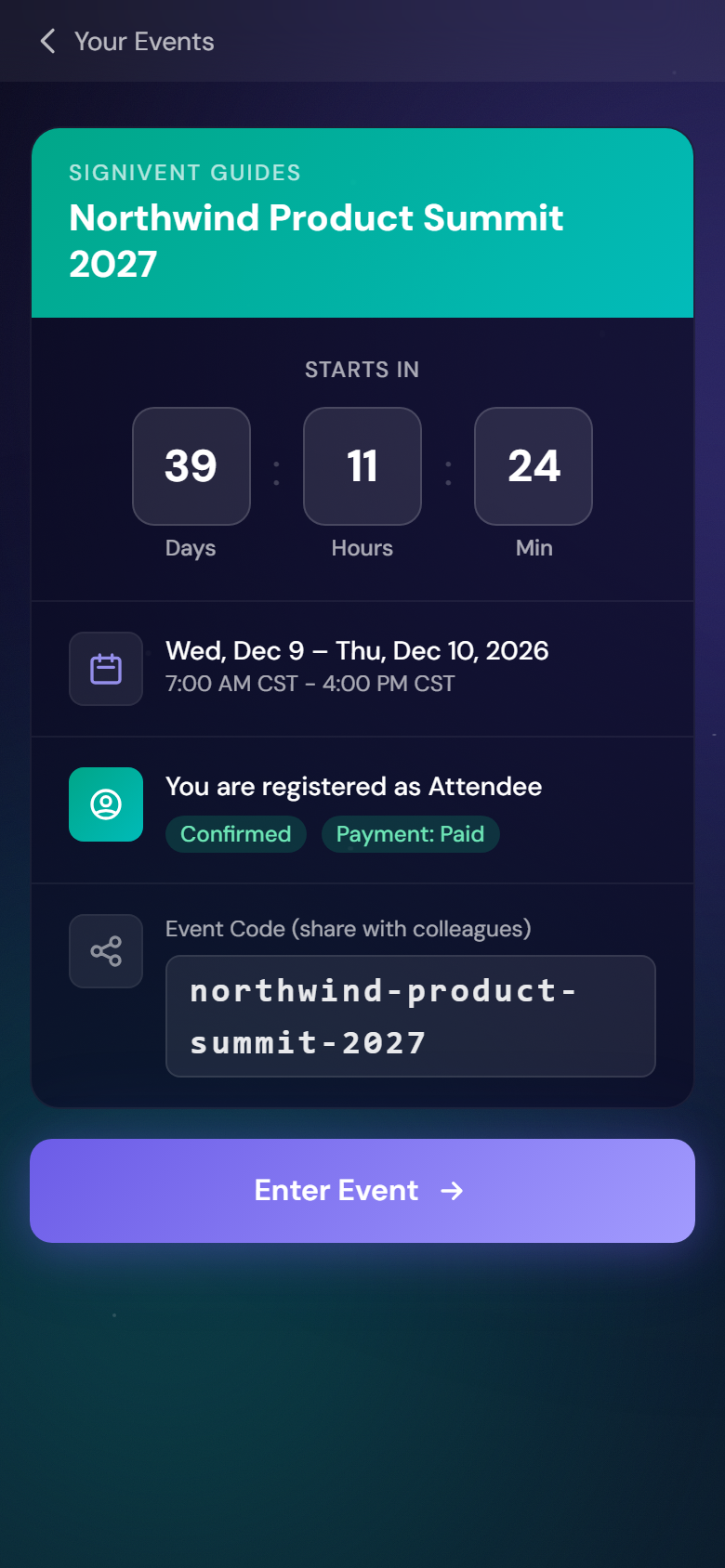
Tap an event to see its preview: a countdown, the dates and times in the event's time zone, how you are registered, and the Event Code, which you can share with colleagues so they can register. Tap Enter Event.
If you hold more than one role at an event (say you are both speaking and exhibiting), the role badge at the top of the event (for example ATTENDEE) becomes a switch: tap it to change role.
The first time you enter an event
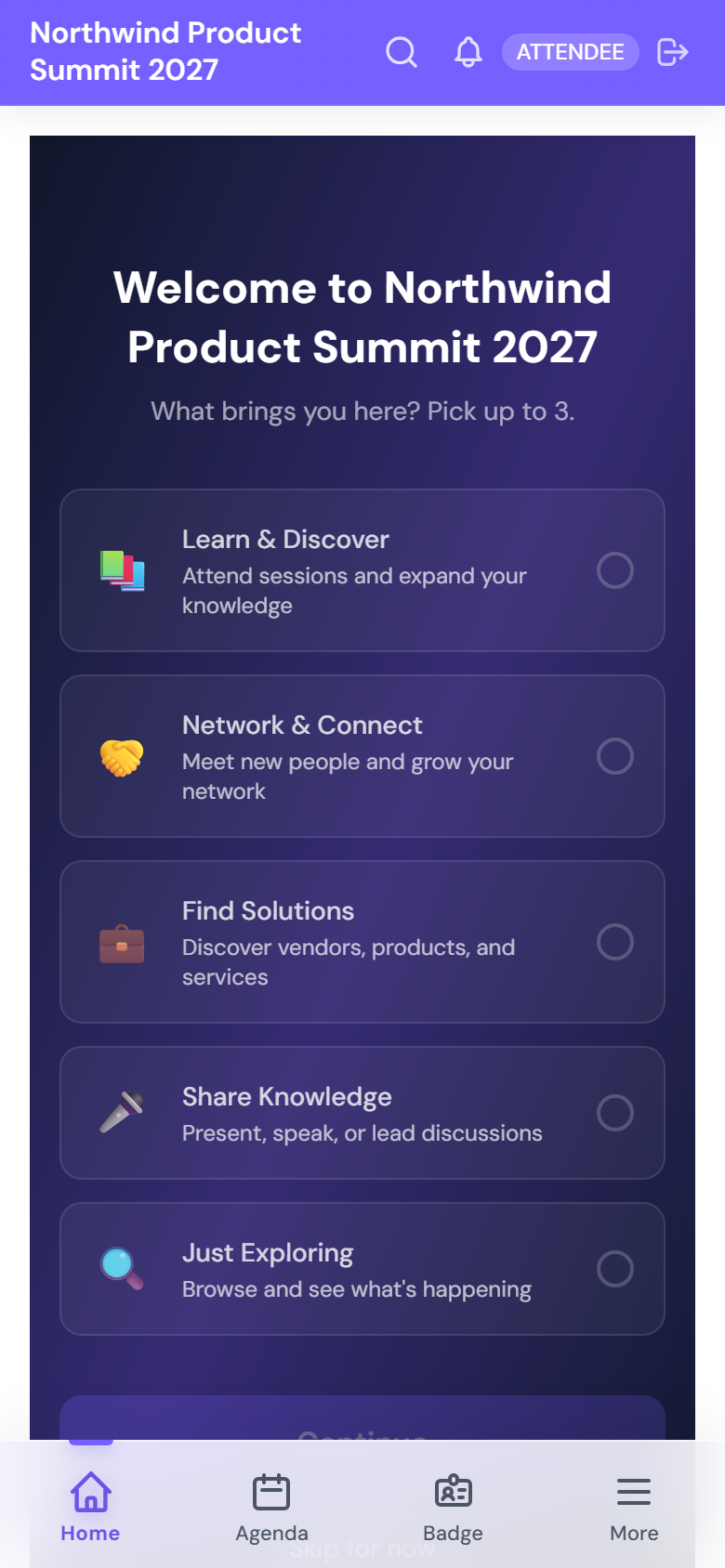
The app asks what brings you to the event, so it can suggest sessions and people. Pick up to three, then Continue, or Skip for now.
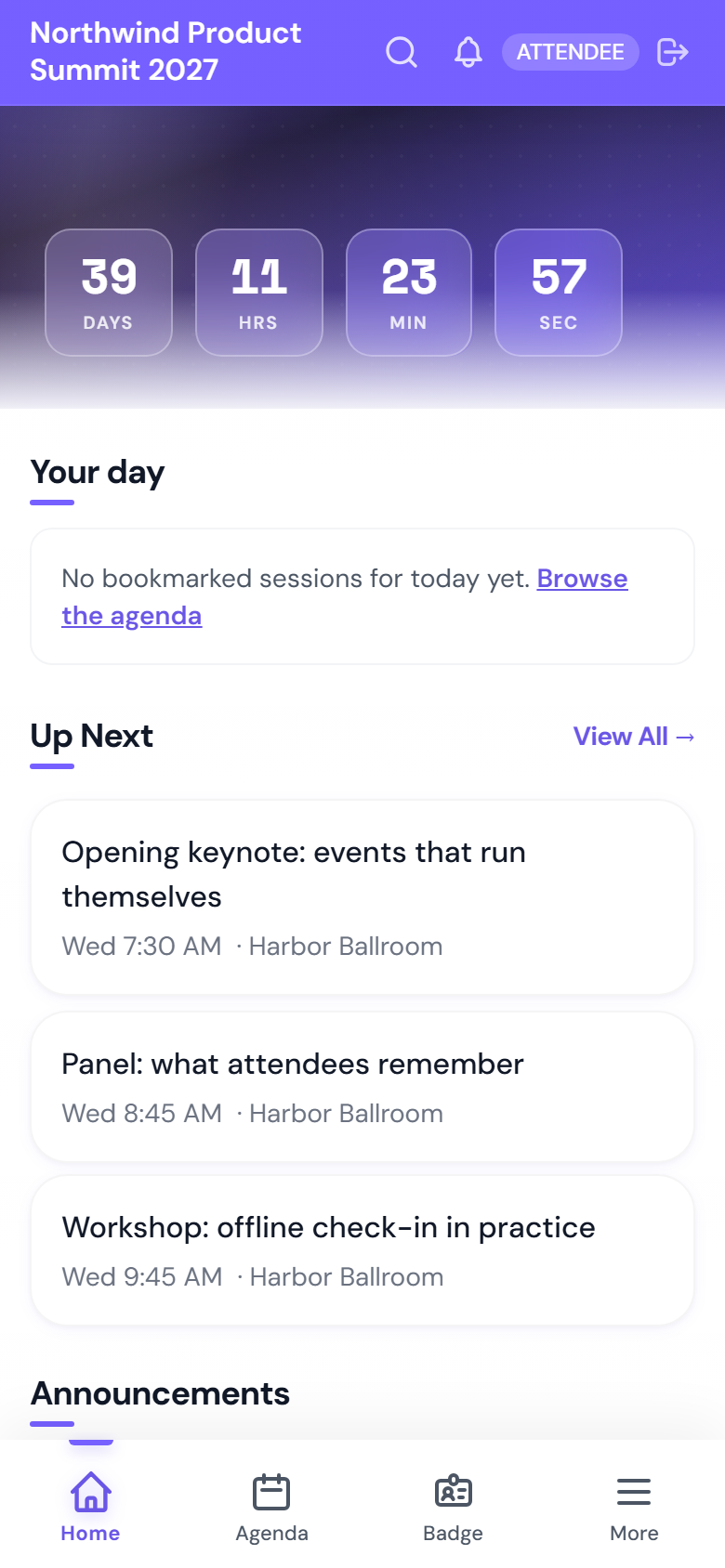
You land on the event's Home screen: a countdown before the event, Your day (the sessions you bookmarked for today), Up Next, announcements from the organizers and quick links. The bar at the bottom has Home, Agenda, Badge and More.
To see what you can do from here, see Connect for attendees. Exhibitors, see Connect for exhibitors.
Switch events or sign out
Tap the back arrow at the top left to return to Your Events and open another event. Sign Out is on the Your Events screen. Inside an event, the icon at the top right signs you out after you confirm Sign out of Connect?.
Troubleshooting
| You see | Why | Fix |
|---|---|---|
| "No events available" | The email you signed in with is not registered for any event yet | Sign in with the email you registered with, or tap Register for event |
| An event you just registered for is missing | The list was loaded before you registered | Tap Refresh my events |
| The sign-in email does not arrive | It went to spam, or you used a different email | Check spam, or sign in with your password |
| "Session expiring" | You have been inactive for a while | Tap Stay Logged In, or sign in again |