Travel, visa letter and housing
Add your passport details for a visa letter, ask the organizer for one, record your flights and where you are staying, and see your hotel reservations and roommate requests.
If you are travelling to the event, the Travel section of your event dashboard takes you through what to do, in order. Open your event from My events and scroll down to Travel (see Your event dashboard).
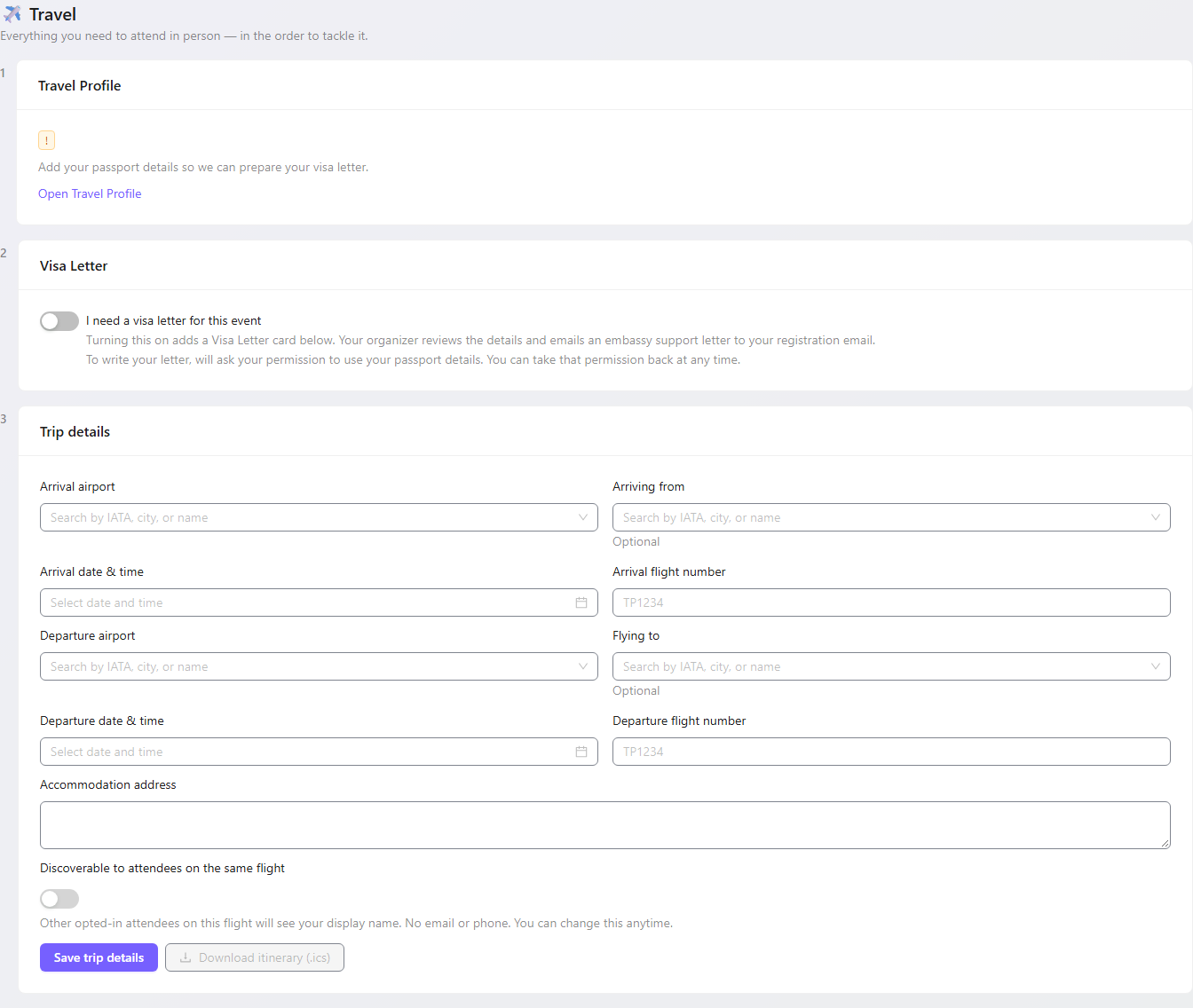
1. Travel profile
Your travel profile holds your passport details, which the organizer needs to write a visa letter. Click Open Travel Profile to add or update them. The profile is yours, not the event's: you fill it in once.
2. Visa letter
If you need an invitation letter for your visa application:
- Turn on I need a visa letter for this event. A Visa Letter card appears.
- Give permission to use your passport details for the letter when asked. You can take that permission back at any time.
- The organizer reviews your request and emails the embassy support letter to your registration email.
Leave the switch off if you do not need a letter.
3. Trip details
Tell the organizer when you arrive and leave:
- Pick your Arrival airport (search by IATA code, city or name) and, optionally, where you are Arriving from.
- Enter the Arrival date & time and Arrival flight number.
- Do the same for your departure: Departure airport, Flying to, Departure date & time and Departure flight number.
- Add your Accommodation address.
- Turn on Discoverable to attendees on the same flight if you are happy for other opted-in attendees on your flight to see your display name (never your email or phone). You can change this any time.
- Click Save trip details.
Once saved, Download itinerary (.ics) adds your flights to your calendar.
Housing
If the event offers hotel rooms, your bookings are on the My Housing page of your event dashboard. My Reservations lists your hotel reservations; Roommate Requests shows who you asked to share with, and who asked you. If you have not booked, the page says so: book accommodation during registration or from the event page.
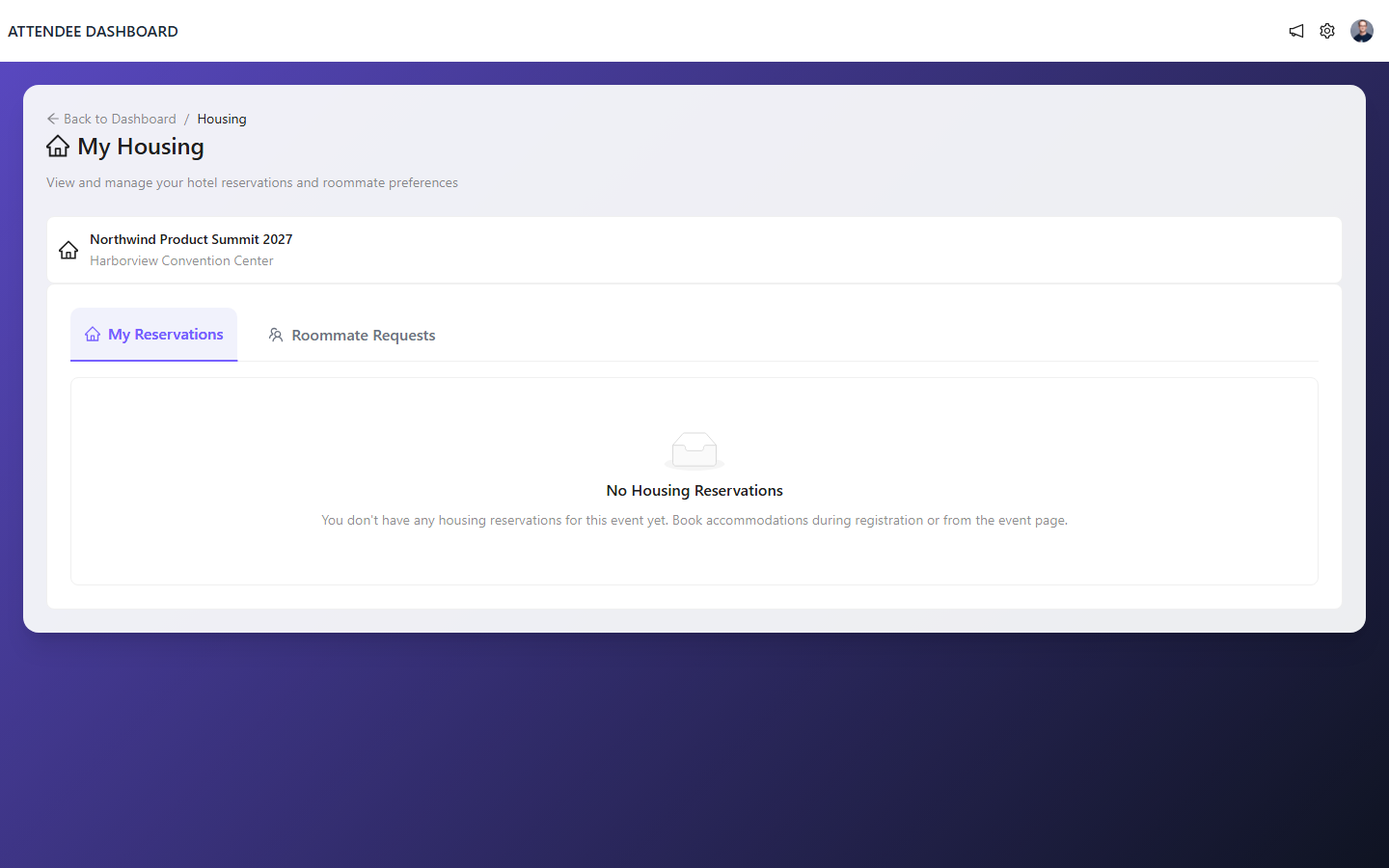
Note: The event dashboard does not link to My Housing yet. To open it, add
/housingto the end of your event dashboard's address (it ends in/dashboard).